Oracle CPQ
Guided Product Selection
Eliminating choice fatigue for sales reps by reducing ~100+
product configuration options to 3 core recommendations

Context
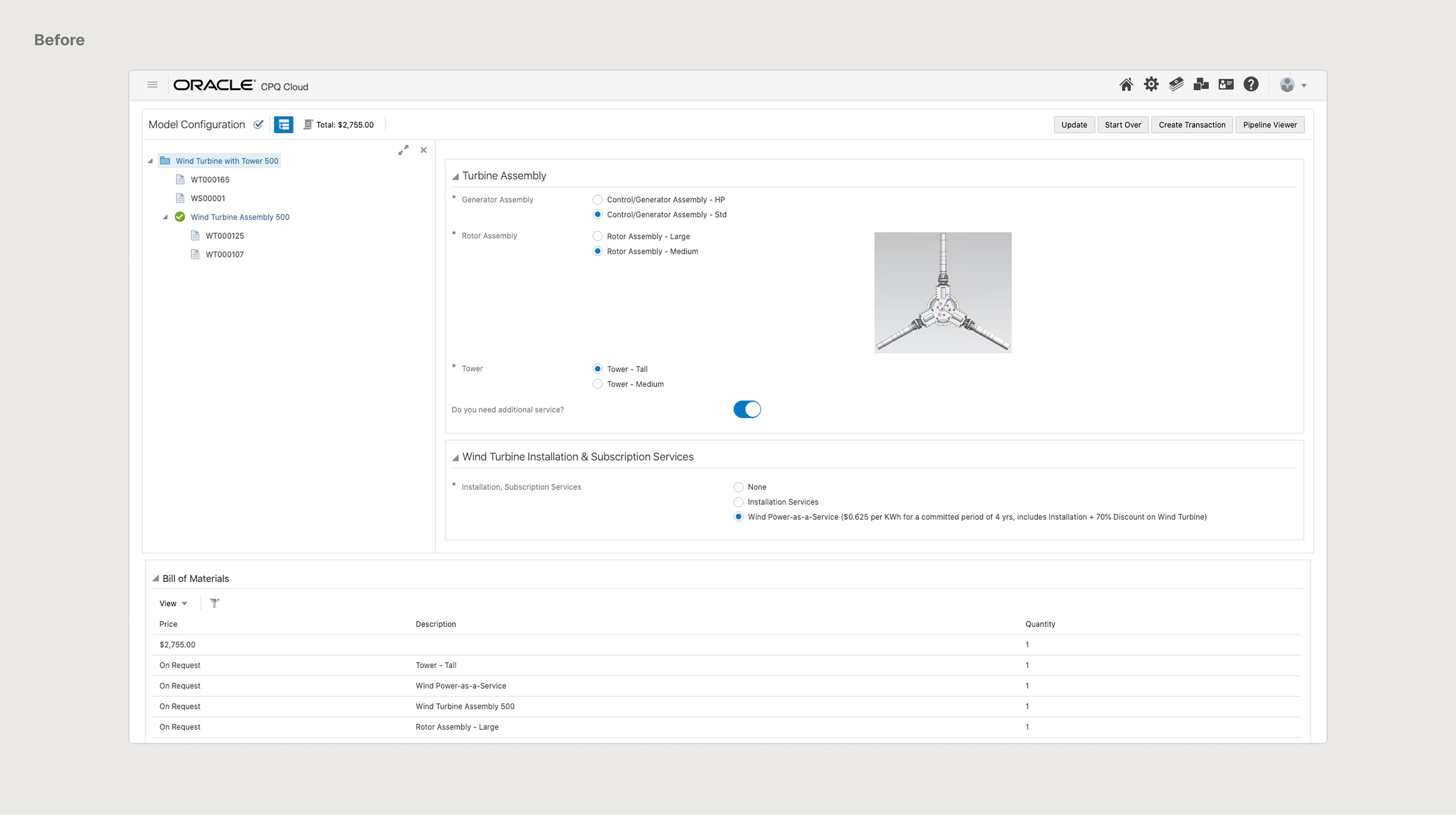
Oracle Configure, Price, Quote (CPQ) is a cloud-based software that allows sales teams to navigate massive product catalogs, build custom product configurations, and create quotes that meet their customers’ needs and budget.
While powerful, the complexity of CPQ can overwhelm sales reps, leading to “choice paralysis.”
Outcome
Received buy-in from VP of UX after final presentation of the product feature
Ensured full Redwood Design System alignment, contributing to its strategic rollout across all Oracle products
Delivered high-fidelity prototypes and documentation, reducing potential development friction
Roles
Designer
Bon Bhakdibhumi
Project Mentors
Marieke Iwema
Jinwon Lee
Rodrigo Cavazos
Joel Giambra Jr
Timeframe
8 Weeks
2025
01
❋
The Problem
❋
In B2B sales, misaligned product recommendations lose deals. How can Oracle CPQ help sales reps translate buyer needs into the right products before the quoting process begins?
02
❋
The Solution
❋
①
From Scattered Knowledge on Buyer Needs to Clarity
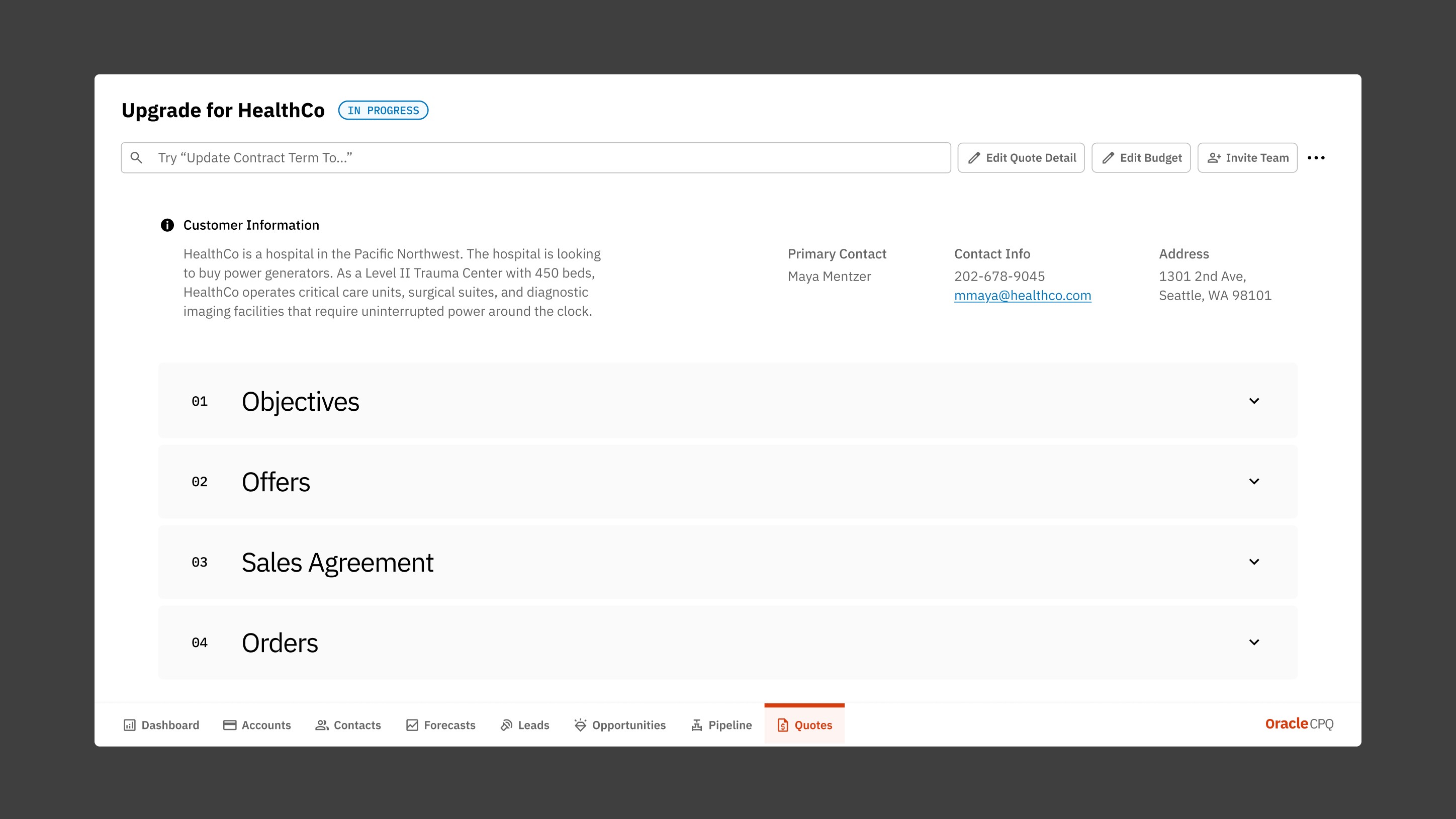
New objectives section allows reps to consolidates RFPs, call recordings, and meeting notes into a single knowledge hub, painting a holistic picture of what the customer actually needs.
Easy Upload: just drag and drop or click in the zone
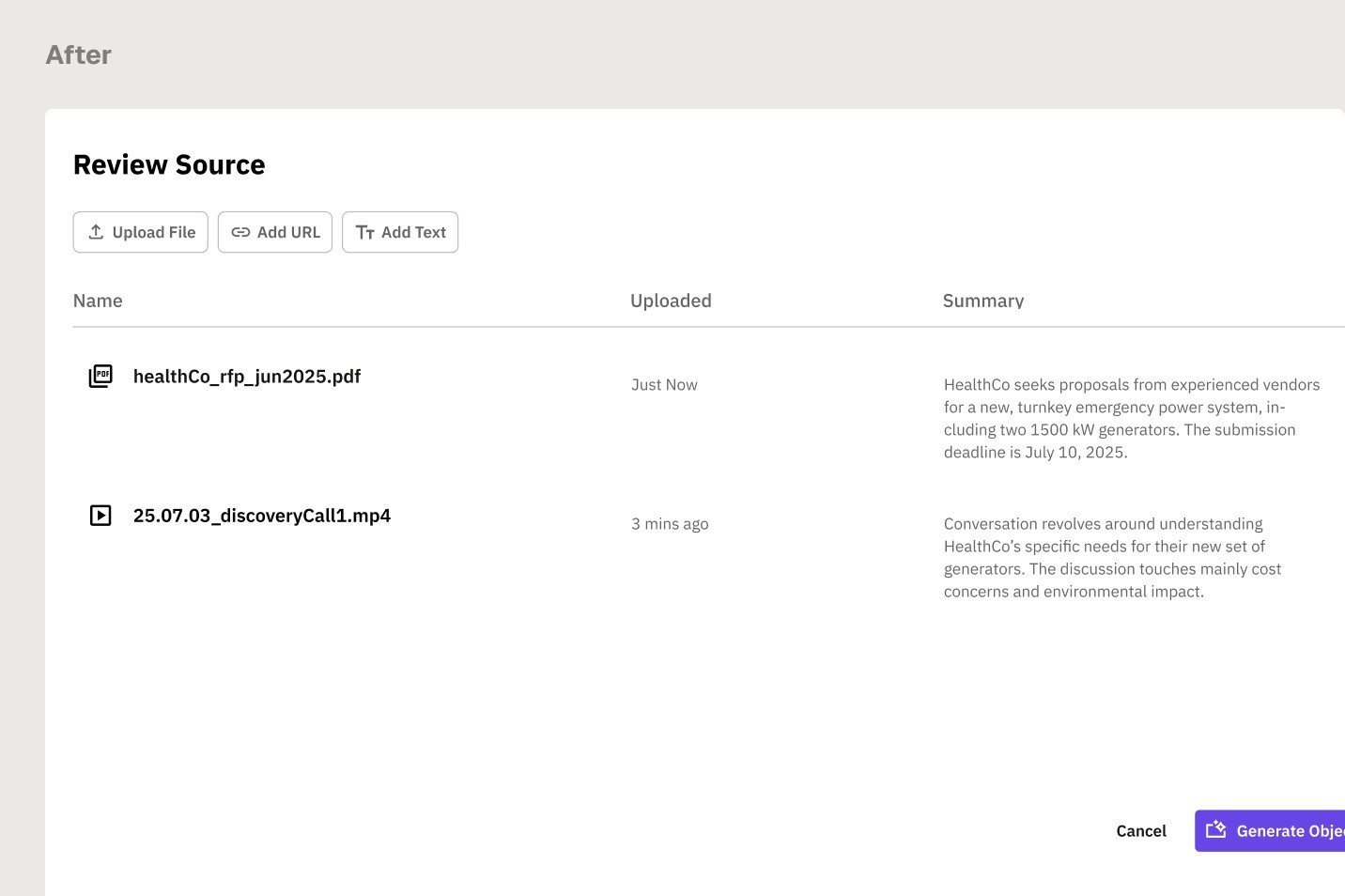
Source Preview: Verify what AI will analyze before generating objectives
②
Objectives You Can Quickly Understand and Adjust
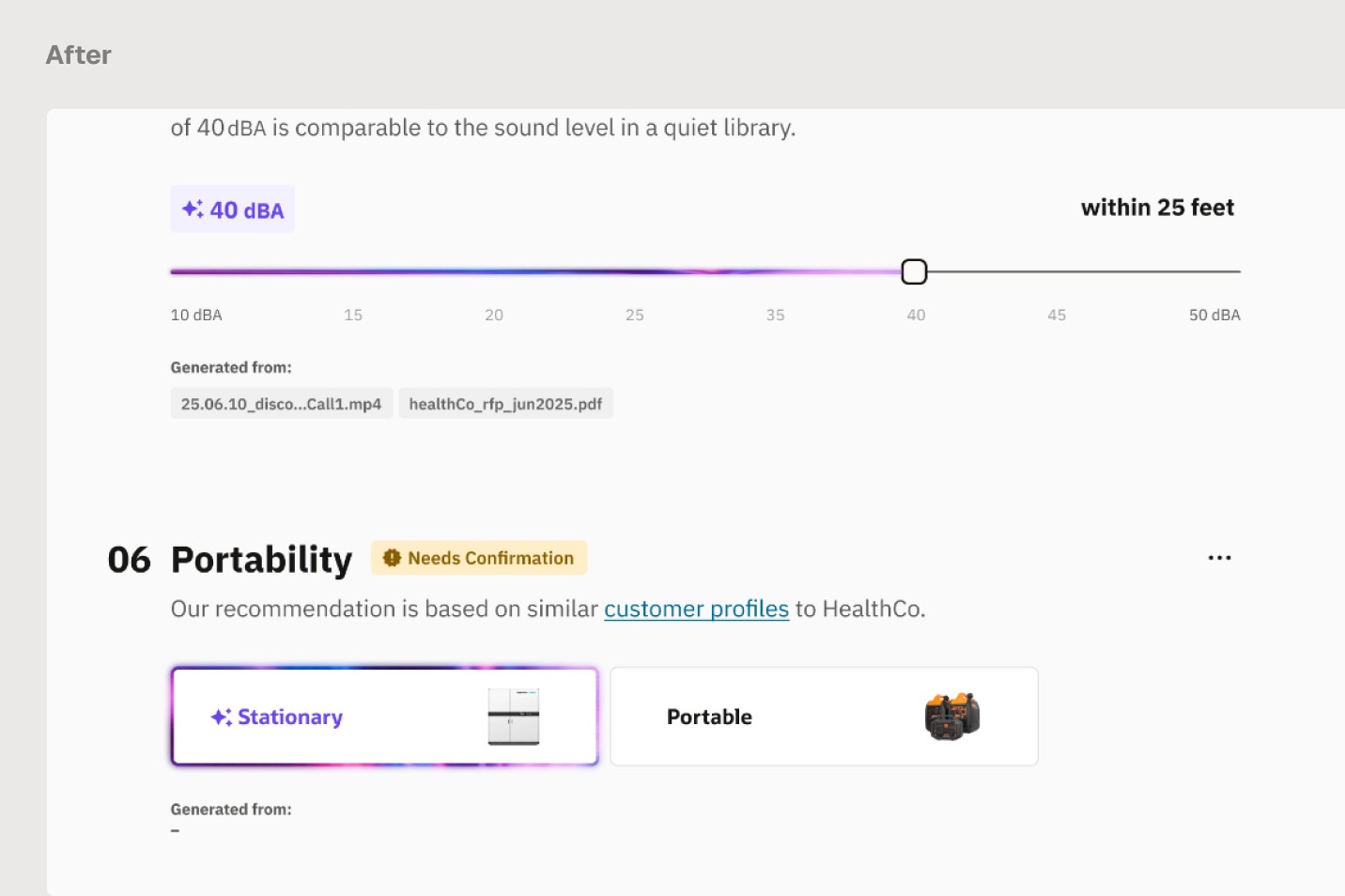
Instead of a static text summary, each objective is rendered as an interactive widget matched to its data type. Reps can validate AI suggestions at a glance and override them directly.

Cited Sources: Every objective traced back to where it came from
AI Interpretation: Purple highlights flag what AI inferred beyond the source
Rep Override: Accept AI suggestions or adjust them, giving reps full control
③
The Right Products Without All the Noise
Rather than navigating a catalog of hundreds of products, reps receive a personalized list of products to facilitate smarter buyer conversations.
03
❋
Research
❋
Research Method
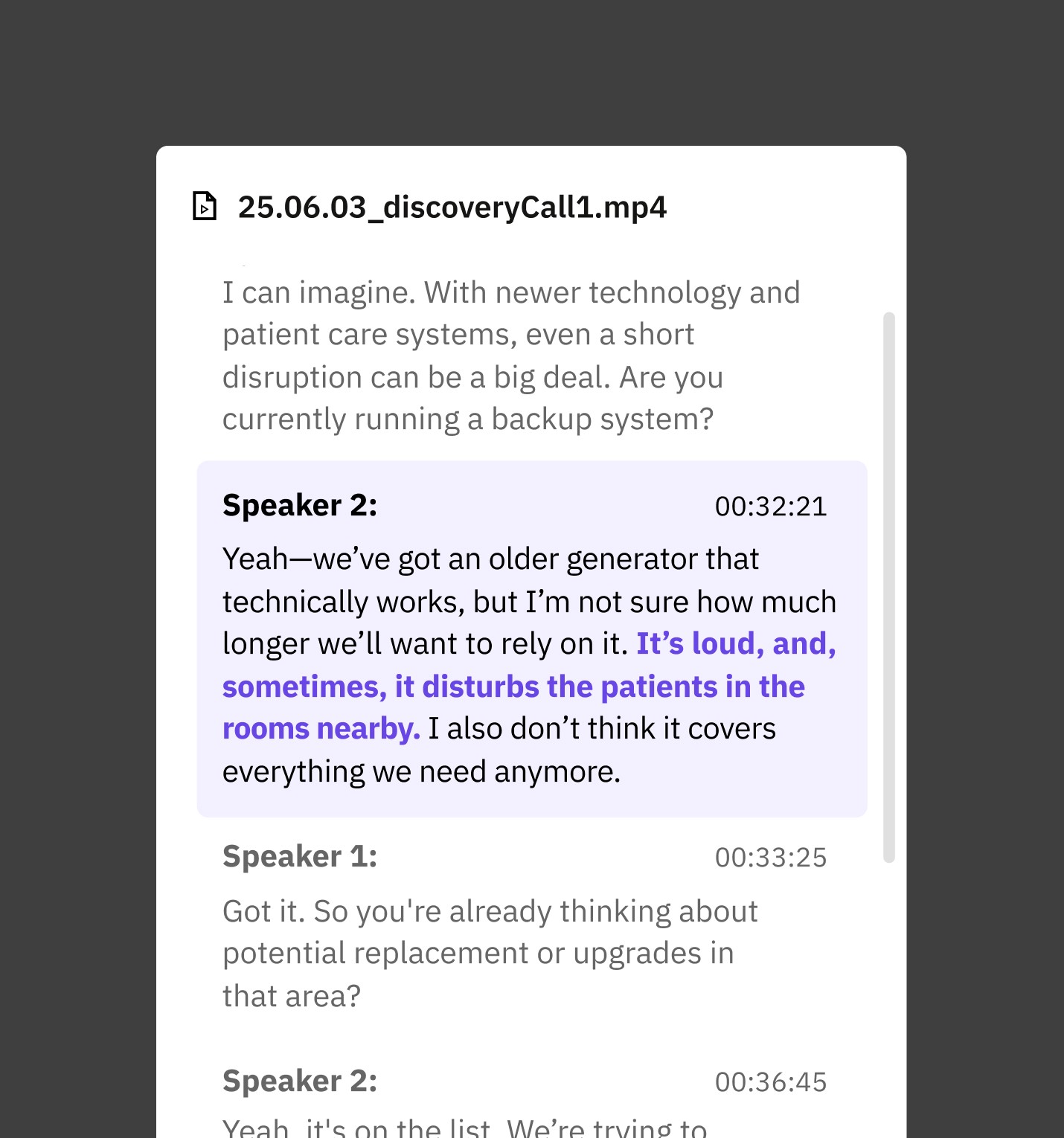
Rather than conducting new interviews, I reviewed the existing extensive research Jo Yung↗ conducted with sales reps across industries—from selling softwares to forklifts—using Oracle CPQ. Research methods included semi-structured interviews and think-aloud testings sessions.
Key Insights from Sales Reps
①
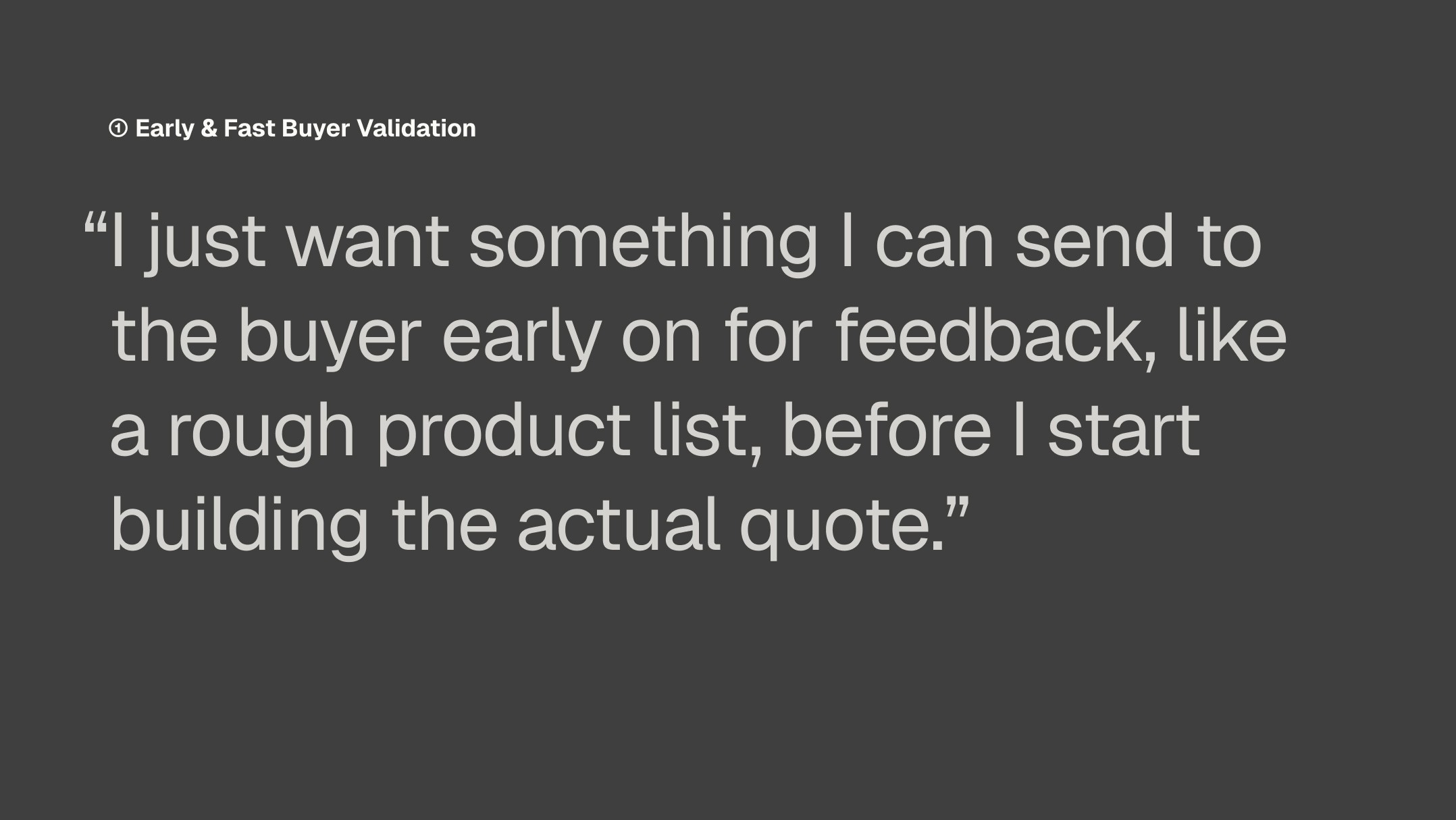
Reps want to validate product direction with the buyer before investing time in a quote
②
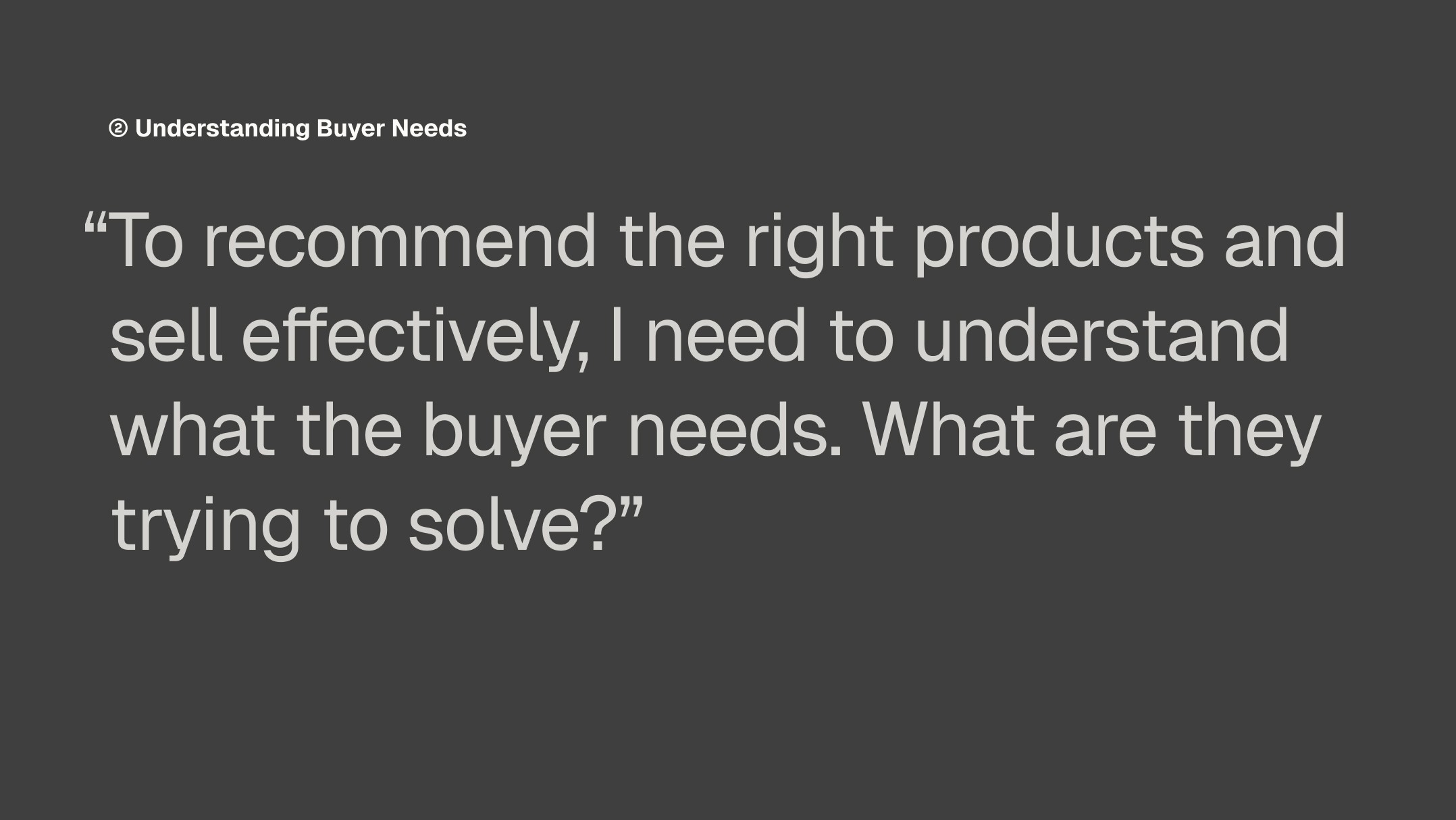
Effective product recommendations start with understanding what the buyer needs
③
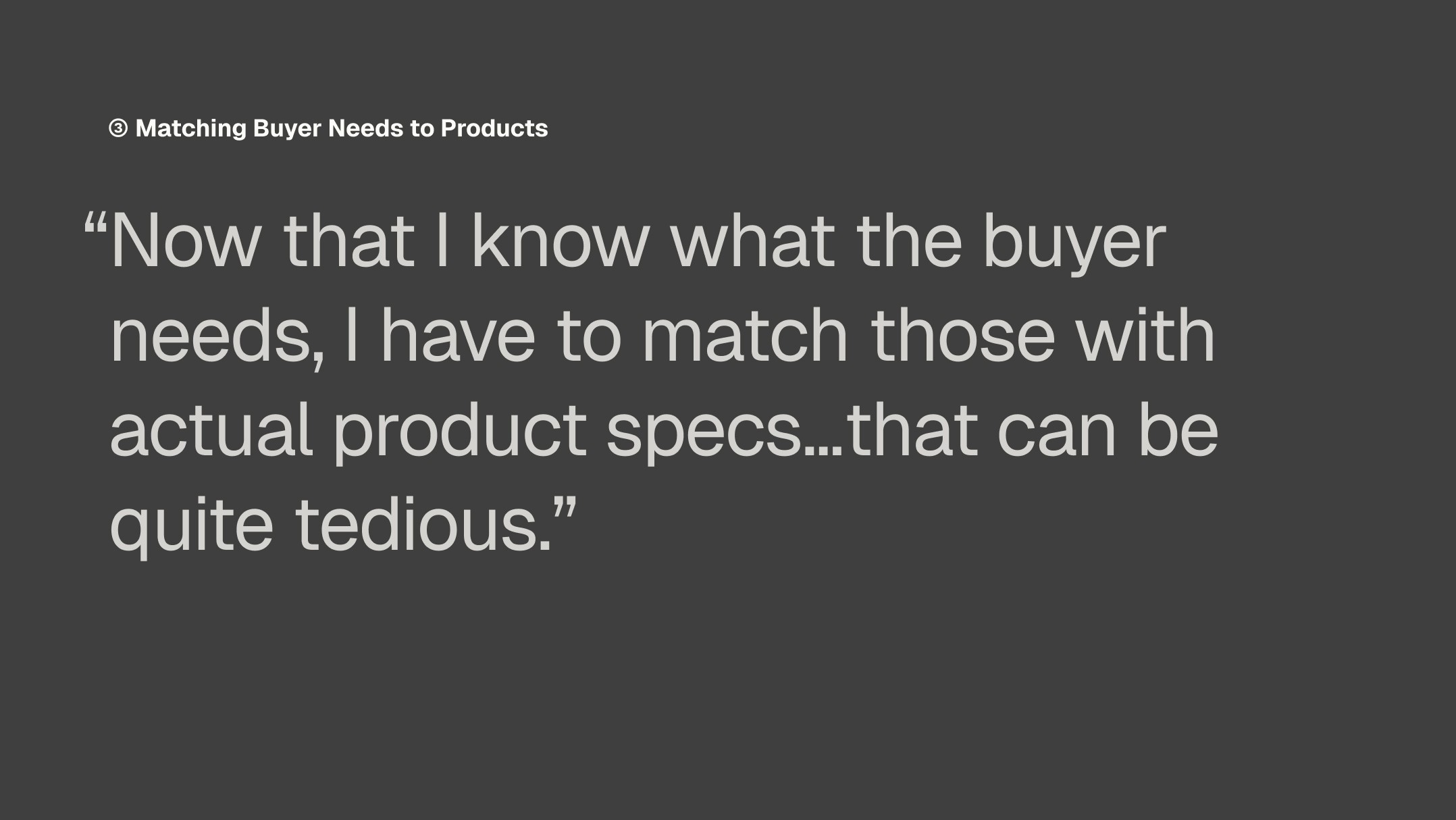
Translating buyer needs into product specs is the most friction-heavy step in CPQ
↓
Supporting statements from user research
1/3


←
Getting Close to the Sales Process
I had no enterprise sales background going in, so before sketching a single screen, I needed to understand how reps actually work.
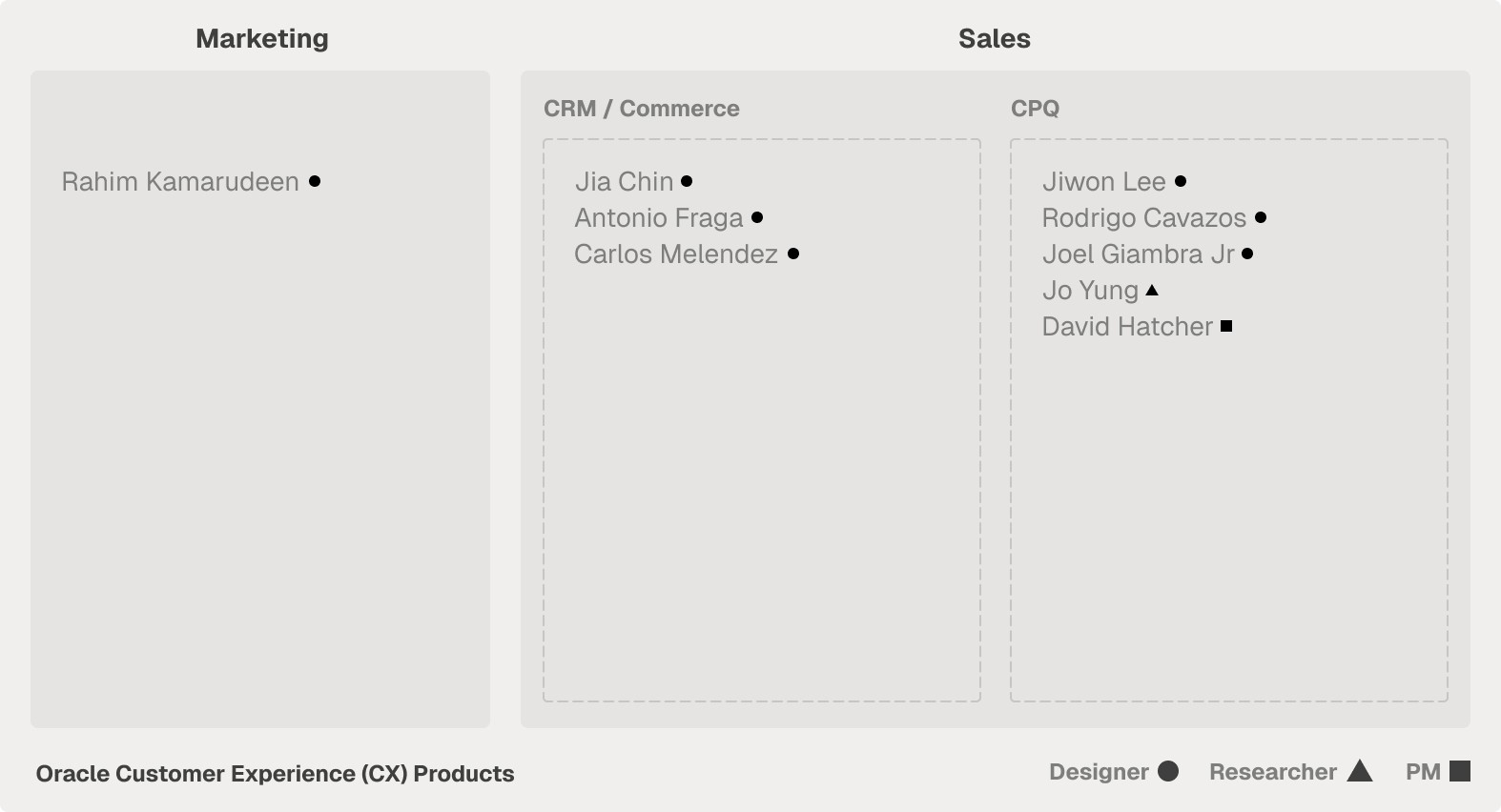
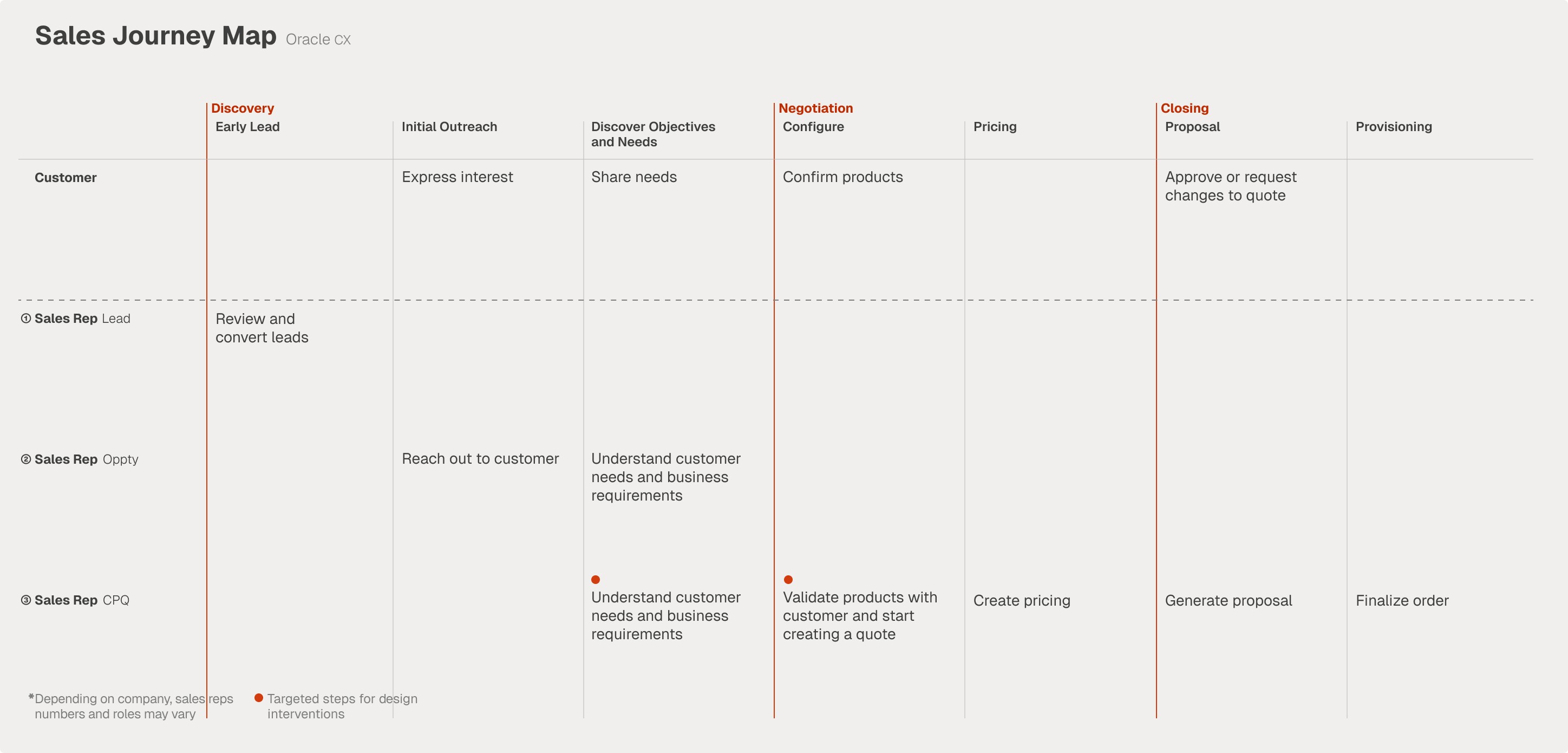
I interviewed 9 members across the Oracle CX team: both product experts and those working directly with sales reps. Together, they helped me map the full sales process from first contact to closed deal.
←
Breakdown of the members on the CX team I interviewed
↓
My synthesis resulted in a sales process journey map


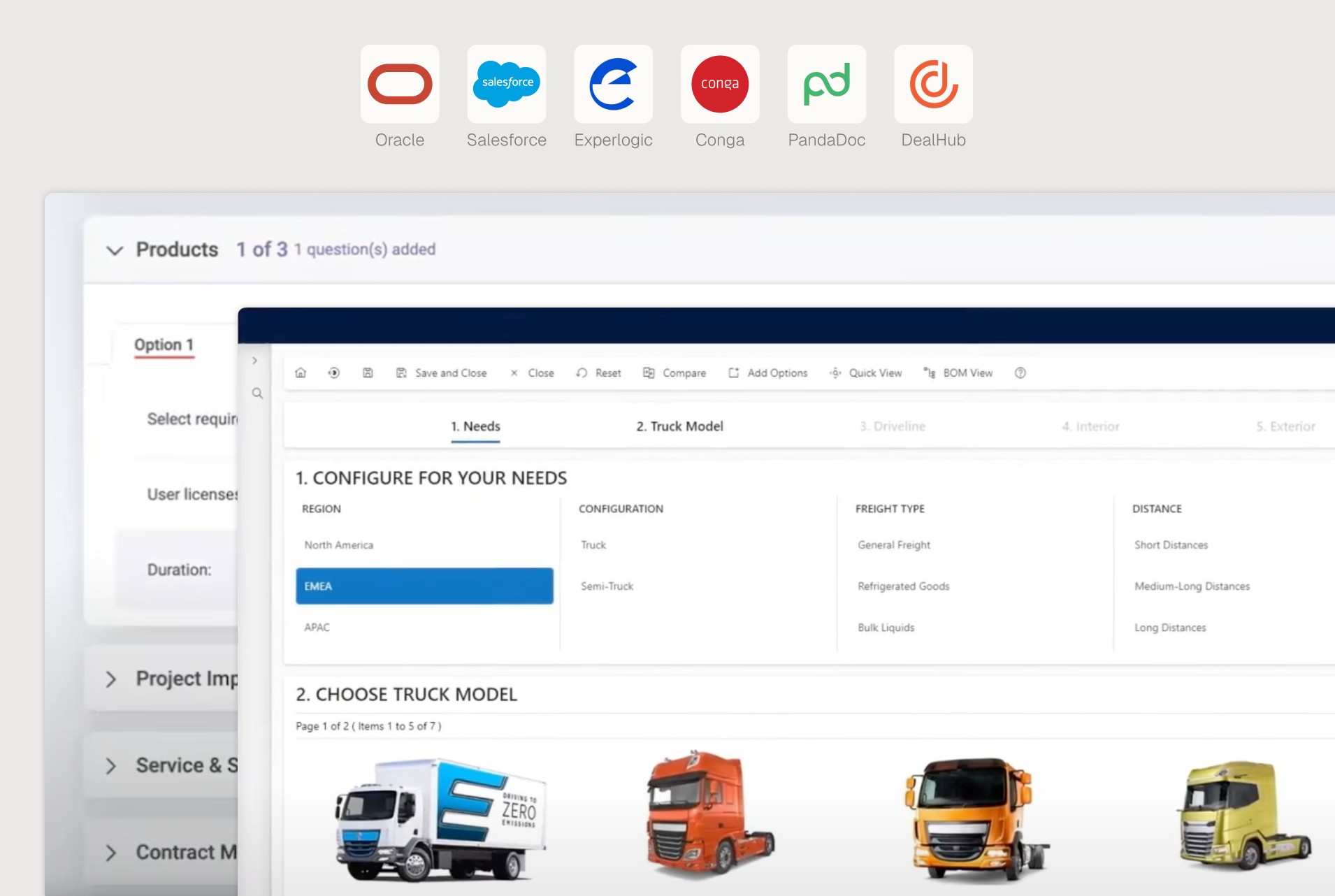
Interface Examples from DealHuB and Experlogic
How Current Products Fail
to Address Needs
Looking at the 6 leading CPQ products, I observed that they use the same UX pattern for product selection. This “questionnaire” design doesn’t address the needs discovered:
①
Answering many sets of questions is as tedious as browsing the whole product catalog itself
②
Reps still need to do the mental work of translating needs into product specs
04
❋
Design Process
❋
→
The research findings shaped a clear design goal. The statement serves as a north star that guided my every decision from brainstorming early concepts to final wireframes.
Design Goal
A new CPQ feature that allows reps to capture and structure buyer objective❶ and received product recommendations❷
Project’s Criteria for Success
❶
Reps are able to identify buyer needs correctly with less time and effort
❷
Reps express confidence that recommendations match buyer needs

2/2
Sketches, Wireframes,
& More Wireframes
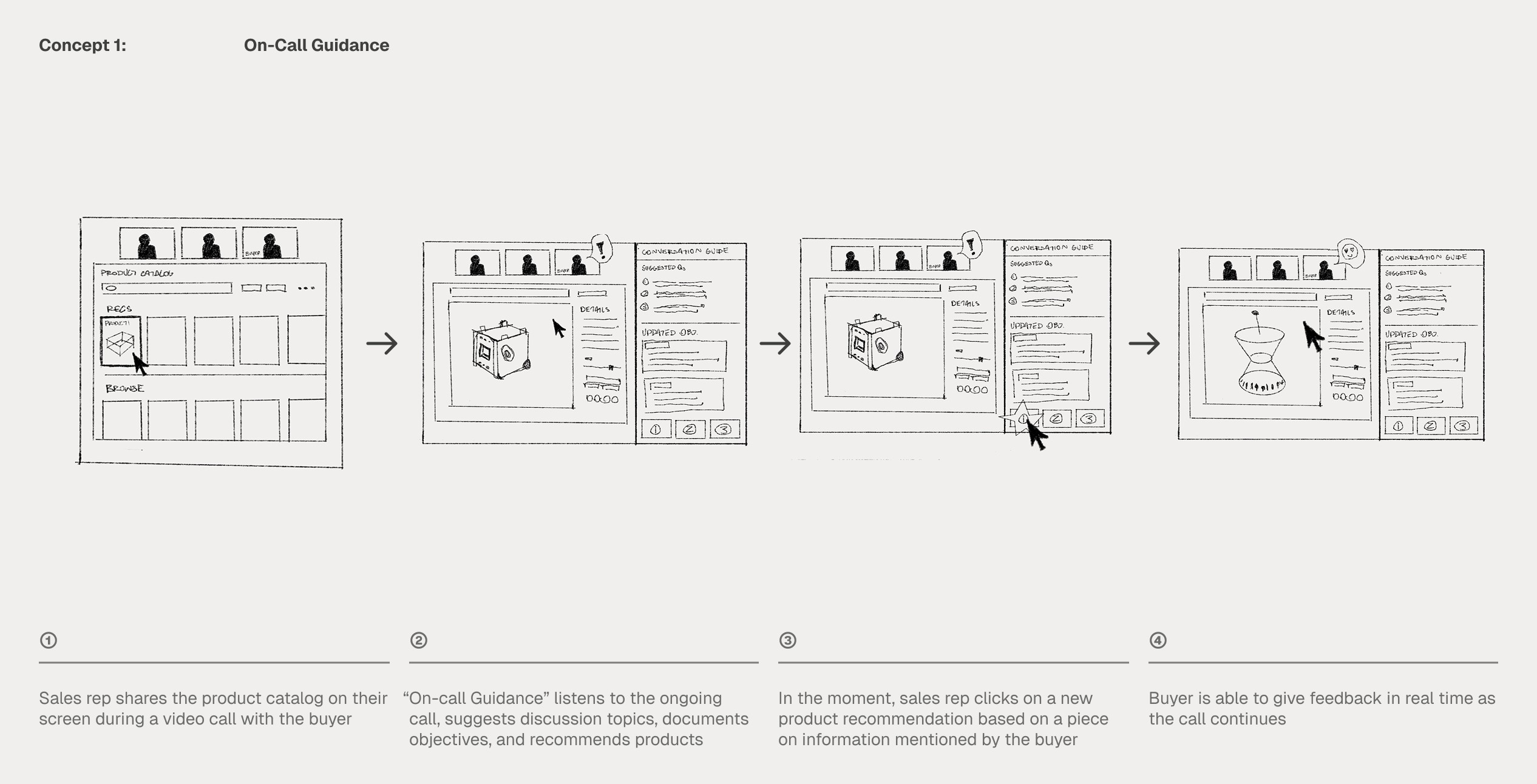
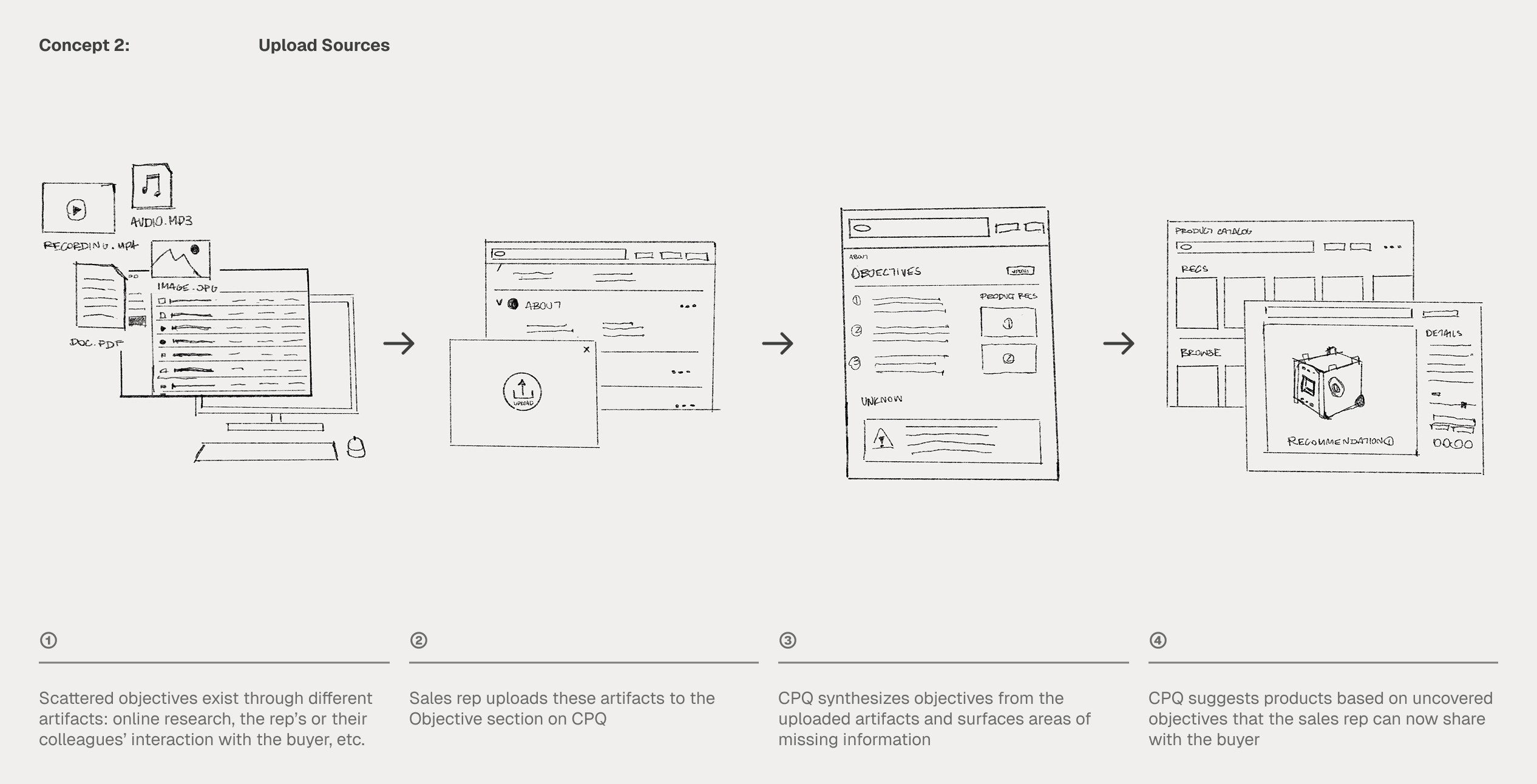
Two concepts emerged from brainstorming: ‘On-Call Guidance,’ an AI assistant that listens live during buyer calls and ‘Upload Sources,’ a CPQ feature which lets reps synthesize objectives from any artifact.
On-Call Guidance only captures what's said in a single call, while Upload Sources builds a complete picture across every touchpoint regardless of when they happened. That insight narrow down the focus of the project.
↓ Key moments during the design process
Testing Methods
①
Think Aloud Testing
②
Focus Group Discussions

From Texts to Visuals
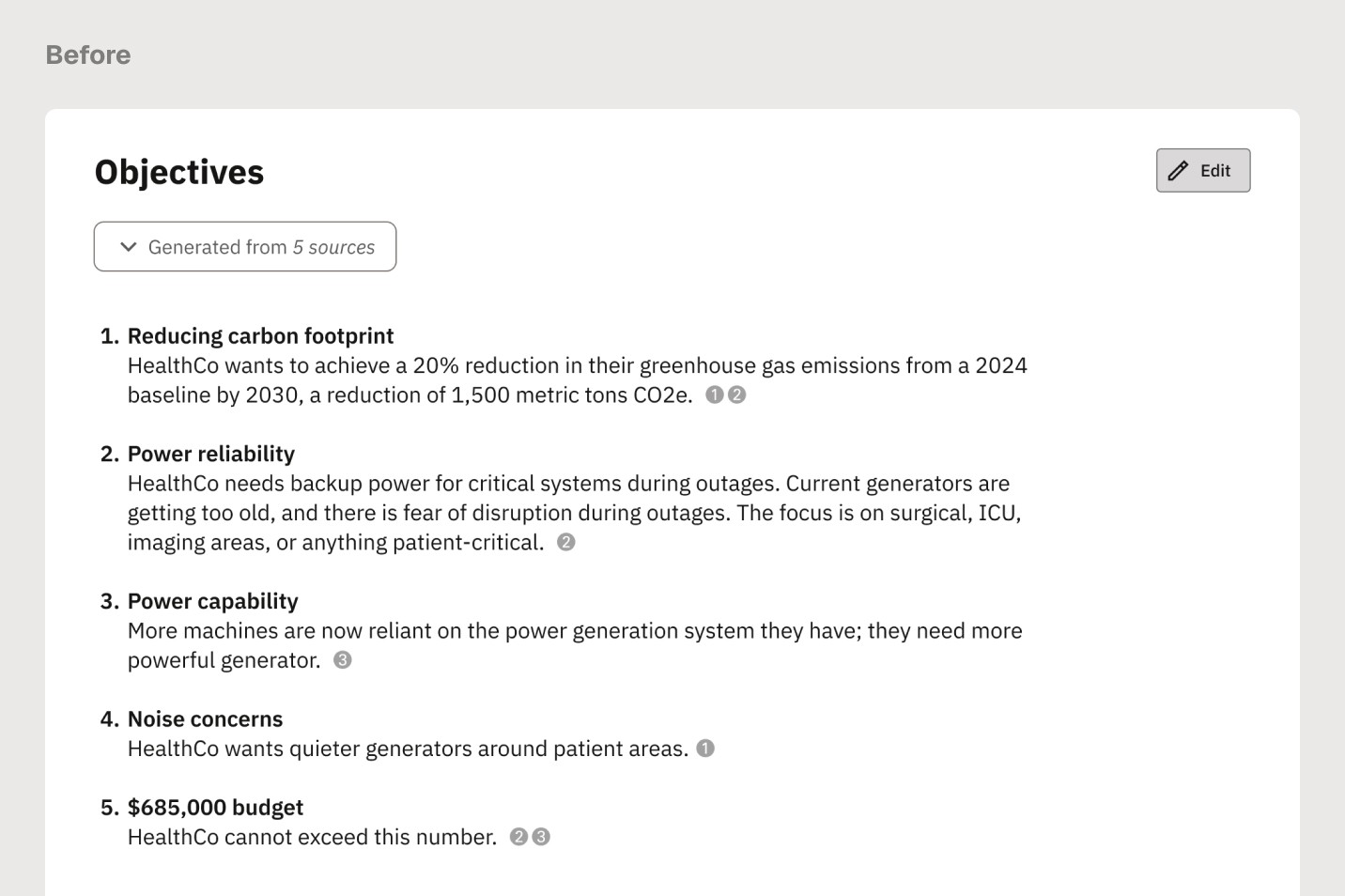
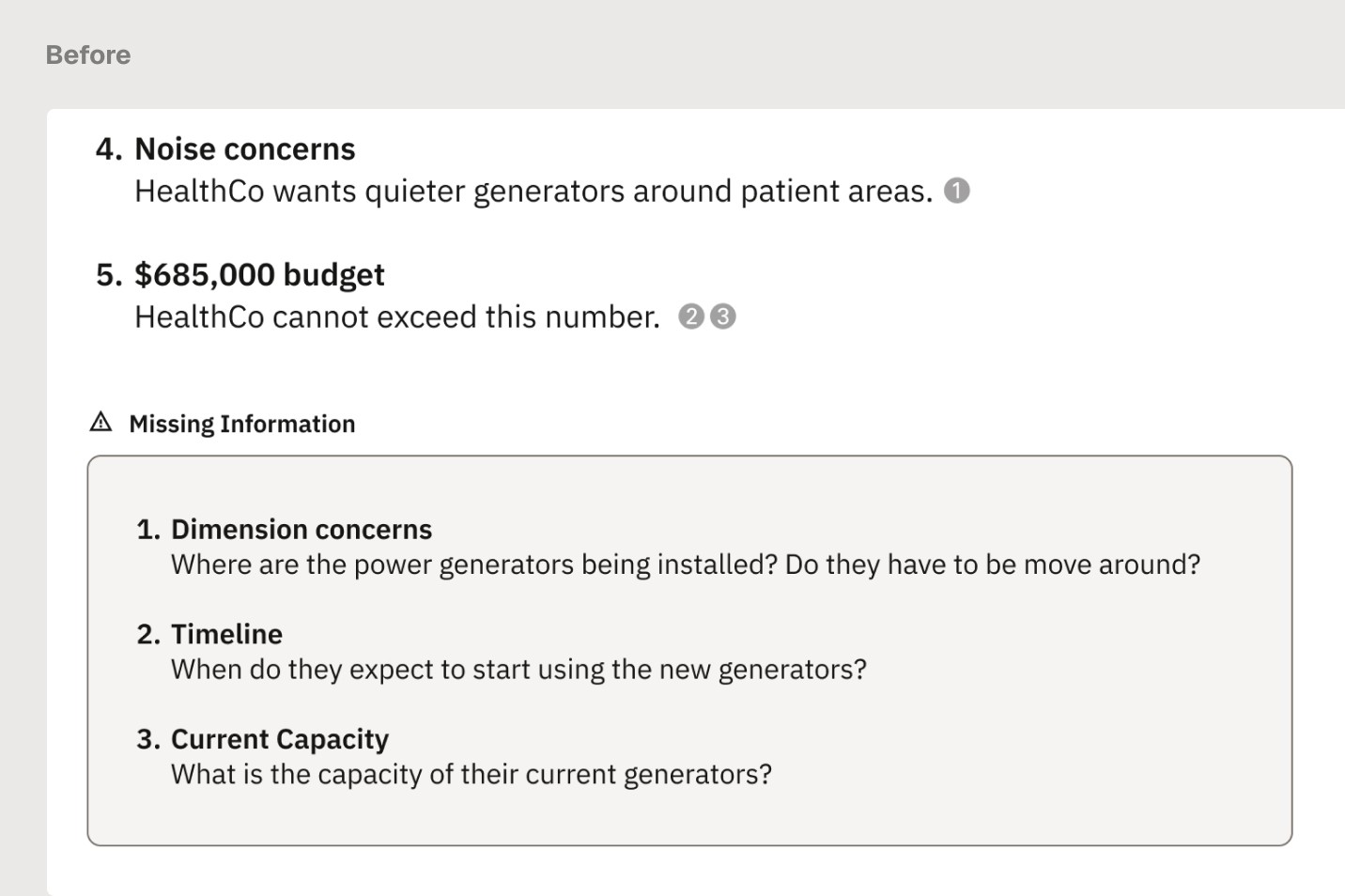
Moving away from text summary to generated interactive UI components and data visualizations makes the design more engaging
Not Only Flagging Problems,
But Also Suggesting Solutions
The final design moves missing information from the section at the bottom inline with the objectives and proactively predicts what's missing based on the objective type.


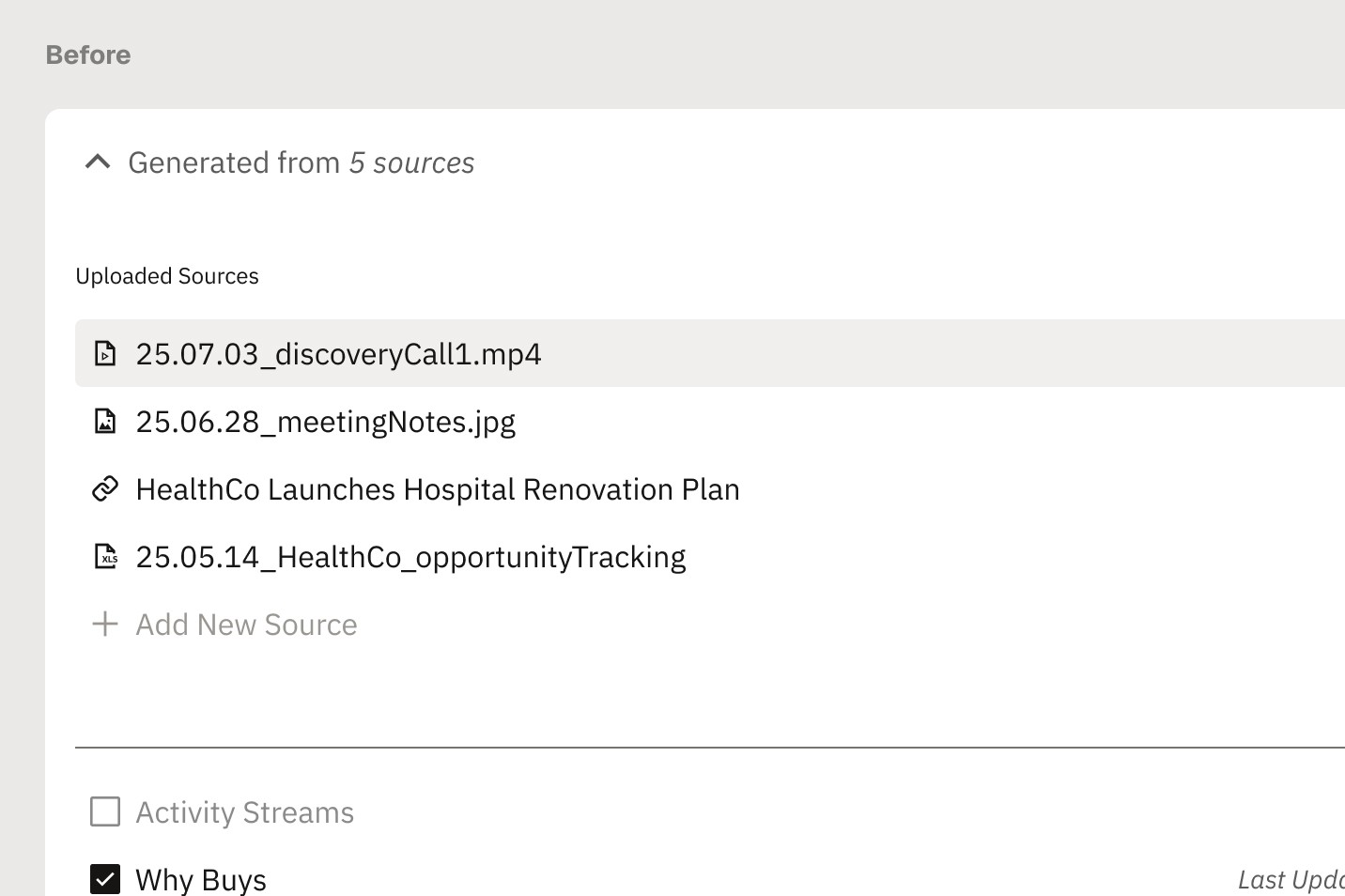
Verify Sources Before Committing
In the Earlier versions there’s no way way to check what the AI actually read. The final design shows a summary of each source, so reps can confirm relevance before anything gets generated.
05
❋
Reflection
❋
Thinking Beyond the Internship
If I were to continue working on the project, I would focus on the following →
①
Testing with Sales Reps
Conducting both qualitative and quantitative research with reps would reveal whether this feature will be helpful in the real world or not.
②
Focus on “On-Call” Guidance
Adding guidance during discovery calls would close the gap and cover the full objective-gathering journey.
③
Build Out Product Sharing Workflow
During design ends at generating recommendations. I’d like to expand to the product list sharing experience as well